Seamlessly Connecting Strategy and Execution: CRM Integration with Aha!
In today’s fast-paced business environment, organizations are constantly seeking ways to streamline their operations, enhance collaboration, and improve overall efficiency. The integration of Customer Relationship Management (CRM) systems with product development and roadmapping tools like Aha! is a powerful strategy that can significantly benefit businesses of all sizes. This article delves into the intricacies of CRM integration with Aha!, exploring its benefits, implementation strategies, and real-world applications. We’ll examine how this integration can foster a more cohesive and productive work environment, ultimately leading to better outcomes for your business.
Understanding the Core Components: CRM and Aha!
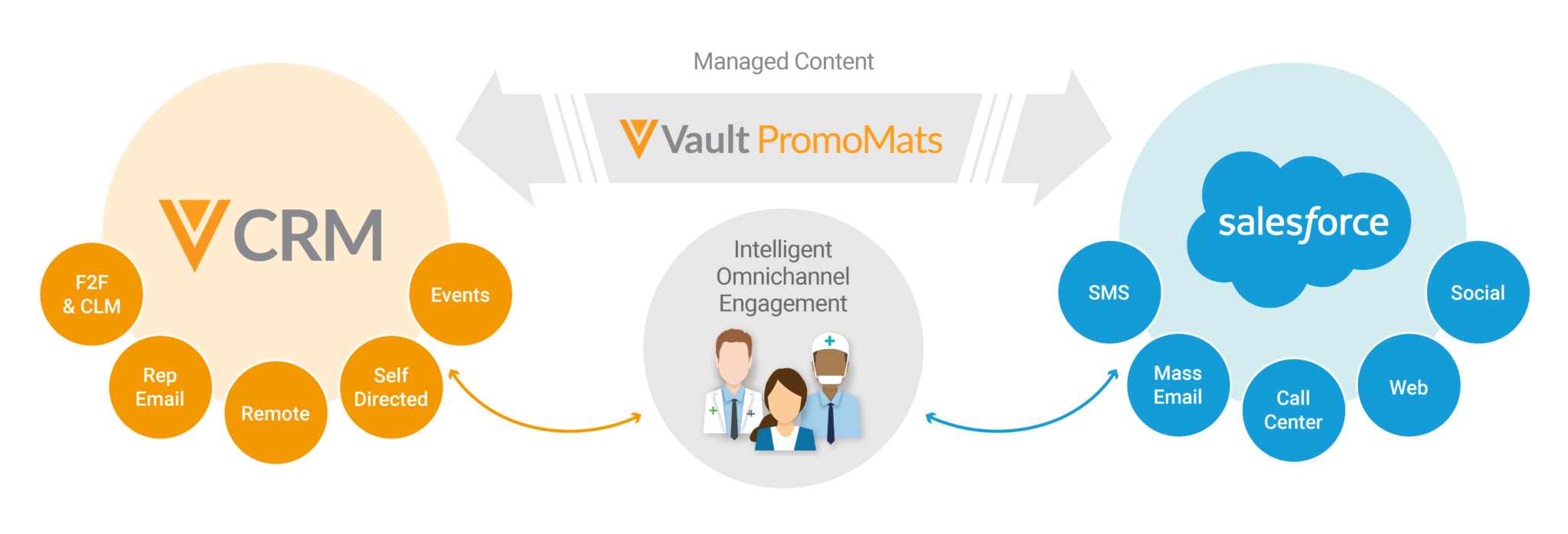
Before diving into the integration, it’s crucial to understand the roles and functionalities of both CRM systems and Aha! CRM platforms serve as the central hub for managing customer interactions and data. They provide a comprehensive view of the customer journey, from initial contact to ongoing support, and are essential for sales, marketing, and customer service teams. Some of the leading CRM platforms include Salesforce, HubSpot, and Zoho CRM, each offering a range of features tailored to different business needs.
Aha!, on the other hand, is a leading product development and roadmapping software. It empowers product managers and teams to define product strategy, create roadmaps, manage features, and track progress. Aha! helps organizations align their product development efforts with their overall business goals, ensuring that they are building the right products for the right customers. It facilitates prioritization, collaboration, and communication across teams, leading to more successful product launches.
The Power of Integration: Why Connect CRM and Aha!?
The integration of CRM and Aha! creates a synergistic effect, allowing businesses to bridge the gap between customer insights and product development. Here are some key benefits of this integration:
- Enhanced Customer Understanding: Integrating CRM data with Aha! provides product teams with a deeper understanding of customer needs, preferences, and pain points. Sales and customer service teams can feed valuable customer feedback directly into Aha!, allowing product managers to make informed decisions about feature development and prioritization.
- Improved Product Development: By understanding customer needs, product teams can develop products that are more relevant and valuable to the target audience. The integration allows product teams to prioritize features based on customer demand, leading to higher customer satisfaction and adoption rates.
- Streamlined Workflows: Integrating CRM and Aha! streamlines workflows and eliminates manual data entry. Information flows seamlessly between the two systems, reducing the risk of errors and saving valuable time for both sales and product teams.
- Better Collaboration: The integration fosters better collaboration between sales, marketing, customer service, and product teams. Everyone has access to the same information, allowing them to work together more effectively towards common goals.
- Data-Driven Decision Making: The integration provides a wealth of data that can be used to make data-driven decisions. Product teams can analyze customer feedback, sales data, and other relevant information to identify trends, opportunities, and areas for improvement.
- Increased ROI: By improving product development, streamlining workflows, and enhancing collaboration, the integration can lead to a significant return on investment (ROI). Businesses can launch more successful products, improve customer satisfaction, and increase revenue.
Implementing CRM Integration with Aha!: A Step-by-Step Guide
Implementing CRM integration with Aha! can be a straightforward process, but it requires careful planning and execution. Here’s a step-by-step guide to help you get started:
- Assess Your Needs: Before you begin, take the time to assess your specific needs and goals. What do you want to achieve with the integration? What data do you want to share between the two systems? Understanding your needs will help you choose the right integration method and ensure that you get the most out of the integration.
- Choose an Integration Method: There are several ways to integrate CRM and Aha!. You can use native integrations, third-party integration platforms, or custom integrations. Native integrations are often the easiest to set up, but they may not offer all the features you need. Third-party integration platforms offer a wider range of features and flexibility, but they may require more technical expertise. Custom integrations provide the most flexibility, but they are also the most complex to implement.
- Select a CRM and Aha! Integration Platform: Consider the different integration platforms available. Some popular platforms include Zapier, Workato, and Integromat (now Make). These platforms provide pre-built connectors and workflows that can simplify the integration process.
- Configure the Integration: Once you’ve chosen an integration method, you’ll need to configure the integration. This typically involves connecting your CRM and Aha! accounts, mapping data fields, and setting up workflows.
- Test the Integration: Before you go live, test the integration thoroughly to ensure that it’s working correctly. Verify that data is flowing between the two systems as expected and that all workflows are functioning properly.
- Train Your Team: Once the integration is live, train your team on how to use it. Make sure they understand how to access and use the integrated data and workflows.
- Monitor and Optimize: After the integration is live, monitor its performance and make adjustments as needed. Review the data flow, workflows, and user feedback to identify areas for improvement.
Integration Methods: Exploring Your Options
The method you choose for integrating your CRM with Aha! will depend on your specific needs, technical expertise, and budget. Here’s a closer look at the different integration methods available:
- Native Integrations: Many CRM platforms and Aha! offer native integrations, which are pre-built connections that allow you to easily share data between the two systems. Native integrations are typically the easiest to set up, but they may have limited functionality. For example, if you use Salesforce, you might find a pre-built integration to Aha! that allows you to push customer feedback directly into your product backlog.
- Third-Party Integration Platforms: Third-party integration platforms, such as Zapier, Workato, and Integromat (Make), provide a wide range of connectors and workflows that can be used to integrate CRM and Aha!. These platforms offer more flexibility and customization options than native integrations, but they may require more technical expertise. These platforms often allow for more sophisticated automation, such as automatically creating Aha! features from new CRM opportunities.
- Custom Integrations: Custom integrations are the most flexible option, but they also require the most technical expertise. You can use APIs (Application Programming Interfaces) to build a custom integration that meets your specific needs. This option allows you to have complete control over the data flow and workflows, but it can be time-consuming and expensive to develop and maintain. This approach is often reserved for organizations with in-house development teams or those requiring highly specialized data synchronization.
Real-World Applications: Examples of CRM Integration with Aha!
The possibilities for CRM integration with Aha! are vast. Here are a few real-world examples to illustrate how businesses are using this integration to improve their operations:
- Prioritizing Features Based on Customer Feedback: A software company uses Salesforce to track customer feedback and Aha! to manage its product roadmap. They integrate the two systems so that customer feedback from Salesforce automatically creates features in Aha!. Product managers can then prioritize these features based on customer demand, ensuring that they are building products that meet customer needs.
- Aligning Sales and Product Development: A consulting firm uses HubSpot to manage its sales pipeline and Aha! to plan its product offerings. They integrate the two systems so that sales opportunities in HubSpot are automatically linked to relevant product features in Aha!. This helps sales and product teams stay aligned on customer needs and ensure that the firm is offering the right products to the right customers.
- Improving Customer Support: An e-commerce business uses Zendesk to manage customer support tickets and Aha! to plan its product development. They integrate the two systems so that customer support tickets that identify product issues automatically create features in Aha!. This allows product teams to quickly address customer issues and improve the overall customer experience.
- Enhancing Product Roadmapping with Sales Insights: A financial services company integrates its CRM (e.g., Salesforce) with Aha!. Sales representatives can easily share customer needs and market trends with the product team. This information then informs the product roadmap, ensuring that new features and products align with market demands and sales opportunities.
Choosing the Right CRM and Aha! Integration: Key Considerations
Selecting the right integration approach and tools is crucial for a successful implementation. Here are some key considerations:
- Your CRM Platform: Different CRM platforms offer different integration capabilities. Consider the available integrations, APIs, and third-party tools that are compatible with your CRM. Some CRM systems, like Salesforce, are known for their robust integration capabilities.
- Your Aha! Plan: The specific Aha! plan you have will impact the integration options available. Some plans may offer more advanced features or support for specific integration platforms.
- Data Requirements: Determine the specific data you need to share between your CRM and Aha!. This will help you identify the necessary data mapping and workflows.
- Technical Expertise: Consider your team’s technical expertise and resources. If you don’t have in-house developers, you may want to opt for a simpler integration method, such as a native integration or a third-party platform like Zapier.
- Budget: Integration costs can vary depending on the method you choose. Native integrations are typically the most affordable, while custom integrations can be the most expensive. Factor in the cost of software, implementation, and ongoing maintenance.
- Scalability: Consider the scalability of your integration. As your business grows, you may need to add more data fields, workflows, or integrations. Choose an integration method that can accommodate your future needs.
- Security: Ensure that your integration is secure and that data is protected. Use secure APIs, encryption, and other security measures to protect sensitive information.
Best Practices for a Successful Integration
To maximize the benefits of CRM integration with Aha!, follow these best practices:
- Define Clear Goals: Before you start, clearly define your goals for the integration. What do you want to achieve? What problems are you trying to solve?
- Plan Your Data Mapping: Carefully plan how you will map data fields between your CRM and Aha!. Ensure that data is mapped accurately and consistently.
- Test Thoroughly: Test your integration thoroughly before you go live. Verify that data is flowing correctly and that all workflows are functioning as expected.
- Document Your Integration: Document your integration, including your data mapping, workflows, and any custom code. This will help you troubleshoot issues and maintain the integration over time.
- Provide Training: Train your team on how to use the integrated systems and workflows. Ensure that they understand how to access and use the integrated data.
- Monitor and Maintain: Monitor the performance of your integration and make adjustments as needed. Regularly review your data flow, workflows, and user feedback to identify areas for improvement.
- Prioritize Customer Feedback: Regularly analyze customer feedback from your CRM, and incorporate it into your product development process in Aha!.
- Foster Cross-Functional Communication: Encourage communication and collaboration between sales, marketing, customer service, and product teams. Share insights and feedback regularly to ensure everyone is aligned.
- Automate Tasks Where Possible: Leverage automation to streamline workflows and reduce manual data entry.
- Regularly Review and Adapt: Your business needs and the capabilities of your CRM and Aha! might change over time. Regularly review your integration and adapt it as needed to ensure it continues to meet your evolving requirements.
Overcoming Challenges in CRM and Aha! Integration
While CRM integration with Aha! offers numerous benefits, you may encounter some challenges during the implementation process. Here are some common challenges and how to overcome them:
- Data Silos: Data silos can hinder the flow of information between your CRM and Aha!. To overcome this, carefully plan your data mapping and ensure that data is shared accurately and consistently. Use a centralized data management system if necessary.
- Incompatible Systems: Incompatible systems can make it difficult to integrate your CRM and Aha!. If you’re using incompatible systems, you may need to use a third-party integration platform or custom integration.
- Technical Expertise: Implementing an integration can require technical expertise. If you don’t have in-house developers, you may need to hire a consultant or use a third-party integration platform.
- Data Quality Issues: Poor data quality can lead to inaccurate insights and decision-making. To overcome this, implement data validation rules and regularly clean your data.
- User Adoption: If your team doesn’t adopt the integrated systems, you won’t realize the full benefits of the integration. To overcome this, provide adequate training and support, and clearly communicate the benefits of the integration.
- Security Concerns: Security breaches can compromise sensitive customer data. Implement robust security measures, such as encryption and access controls, to protect your data.
- Integration Complexity: Complex integrations can be difficult to manage and maintain. Simplify your integration by using pre-built connectors, automating tasks, and documenting your processes.
The Future of CRM and Aha! Integration
The integration of CRM and Aha! is constantly evolving. As technology advances, we can expect to see even more sophisticated integration capabilities, including:
- Artificial Intelligence (AI): AI-powered integration will be able to automate more tasks, provide more intelligent insights, and personalize the customer experience.
- Machine Learning (ML): ML will be used to analyze data, identify trends, and predict customer behavior.
- Improved Data Visualization: Data visualization tools will become more sophisticated, allowing you to easily visualize and understand your data.
- Enhanced Automation: Automation will continue to improve, allowing you to streamline workflows and reduce manual data entry.
- Increased Personalization: CRM and product development systems will become more personalized, allowing you to tailor your products and services to individual customer needs.
Conclusion: Embracing the Power of Connected Systems
Integrating your CRM system with Aha! is a powerful strategy for businesses looking to enhance their customer understanding, improve product development, and streamline their operations. By following the steps outlined in this article, you can successfully implement this integration and reap the many benefits it offers. From improved collaboration to data-driven decision-making, the possibilities are endless. Embrace the power of connected systems and take your business to the next level.
By connecting your CRM with Aha!, you’re not just linking two software applications; you’re forging a critical link between customer insights and product execution. This integration empowers your teams, fosters a customer-centric approach, and drives innovation. As the business landscape evolves, the ability to seamlessly connect these two critical systems will become even more crucial for organizations seeking a competitive edge. The future is connected, and the integration of CRM and Aha! is a key step towards a more efficient, customer-focused, and successful business.